Novel writing software

Murasaki — Novel Writing & Planning

See the whole shape of your story, not just the next page.

Murasaki turns your novel into a corkboard of index cards — one per chapter — that you can pin, drag, and rearrange until the structure finally clicks. Then write, right there, with your whole book laid out in front of you.

Keep your work on your own computer. No AI. Your book is your property.
Interface in English · Srpski / Hrvatski · Slovenčina · Čeština
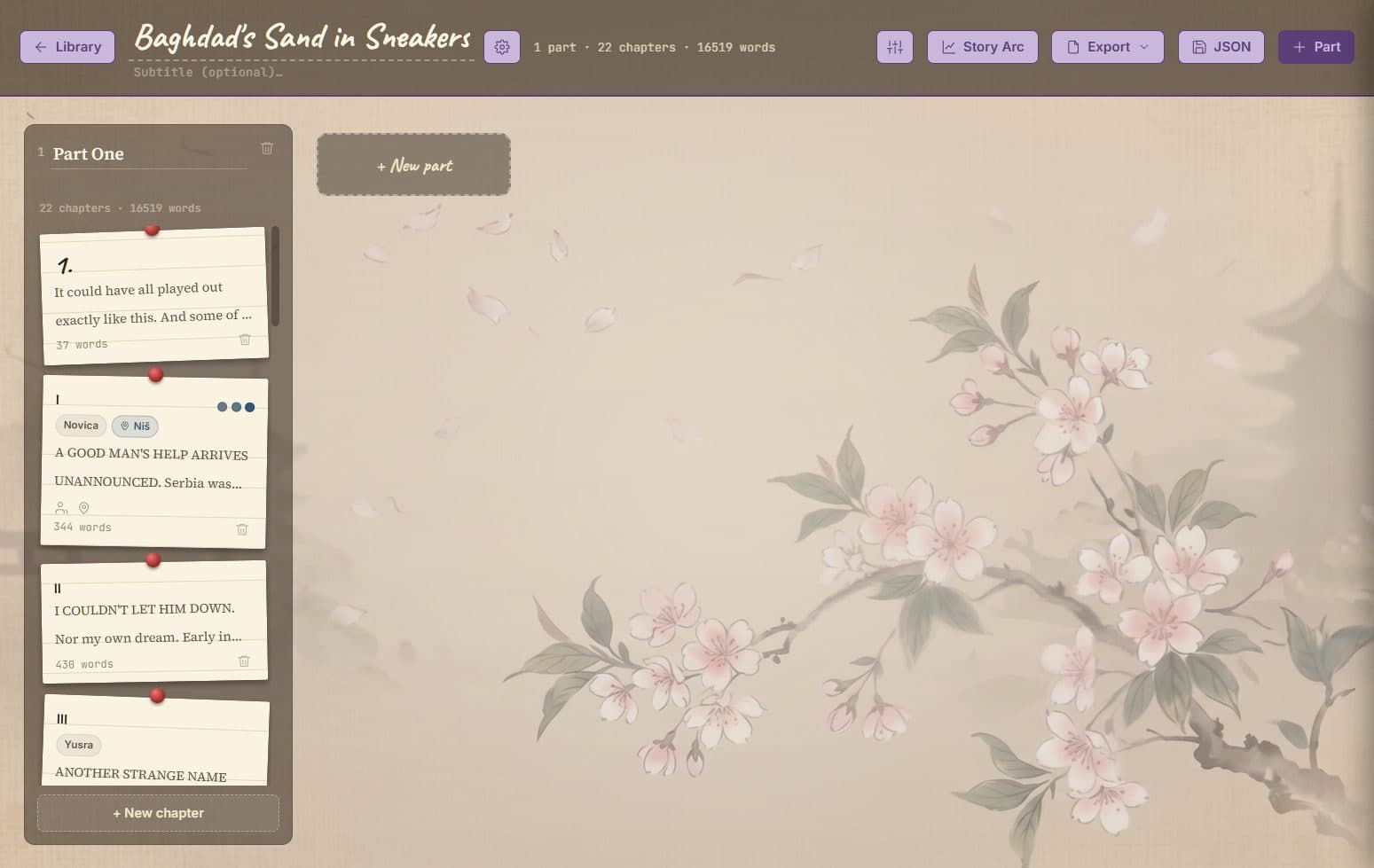
Murasaki's corkboard view, showing a novel split into parts and numbered chapters as index cards

Why do you need Murasaki?

Murasaki wasn’t designed around features — it was designed around what academic research says actually stops writers from writing. Three findings shaped every decision in the app.

Murasaki corkboard view showing novel chapters as draggable index cards

The block hits when you write — not when you plan

A study of 146 experienced writers found that 36% of blocks happen during articulation — the moment you need to turn an idea into sentences. The problem isn’t creativity. The problem is structure.

UCLA researcher Mike Rose showed that blocked writers apply rigid, inflexible planning strategies — either over-detailed outlines or pure improvisation — and end up in cognitive deadlock.

Murasaki solves this: the corkboard lets you plan and write at the same time. You see your entire story architecture in one place, and you’re back in the editor in one click. No rigidity, no “plan first, THEN write” — flexibility is built in.

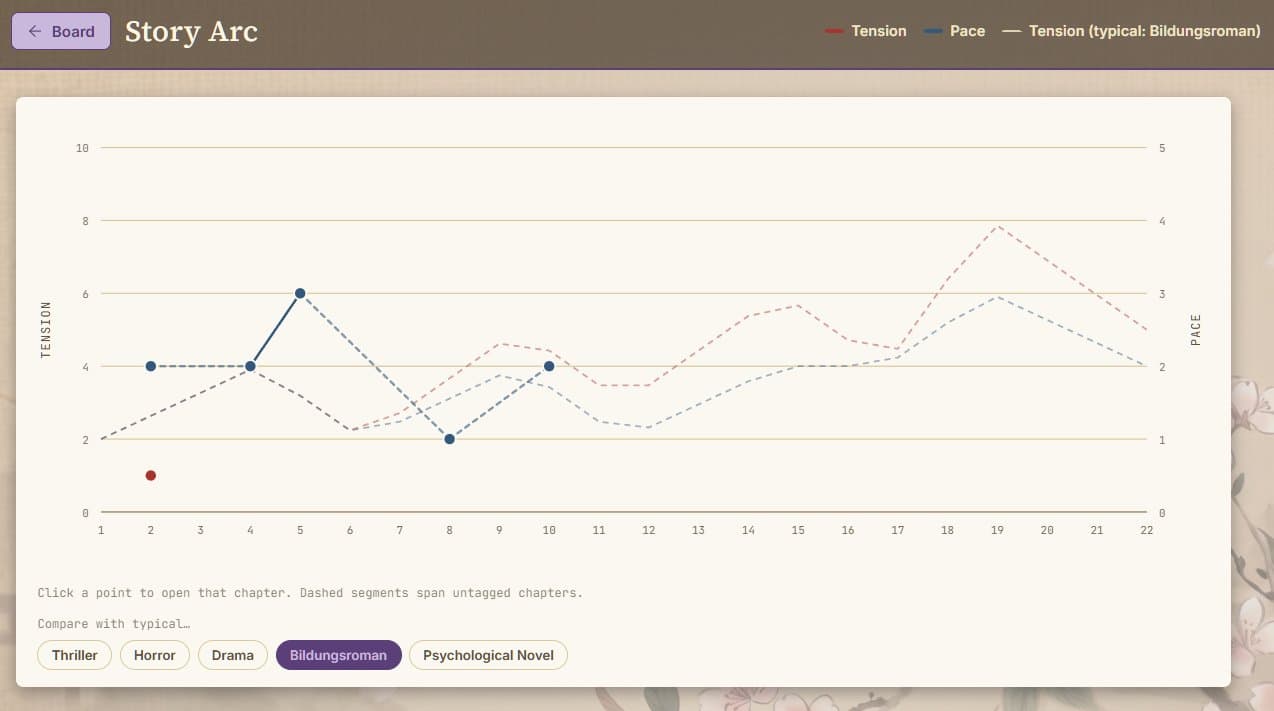
Murasaki Story Arc chart showing tension and pace across chapters with genre comparison curves

Tempo — not just ideas — keeps you in flow

The same study found that stress and anxiety are the most common block triggers (42%), and they damage working memory first. But a local, analytical signal — information about the rhythm of your prose — doesn’t trigger anxiety. It gives feedback.

Harvard neurologist Alice Flaherty argues that a writer’s psychological stability depends on whether the brain receives clear feedback on progress — not evaluative judgment, just signal.

Murasaki’s Story Arc & Pace Analyzer: real-time metrics on your prose tempo, without perfectionism. You see when the rhythm drops. You see when emotions run high. No “is this good enough?” — just clear, local feedback.

Illustration of a focused writer at their desk working on a novel

Daily writing = no blocks

The Ahmed & Güss research also found that writers who write daily report significantly shorter blocks than those with irregular habits. Routine breaks the pattern because the brain never enters “evaluative mode.”

Murasaki is built for this: its structure — scene to chapter to part — turns every session into one clear goal. Not a novel. A scene. Writers say: “When I know exactly what I need to write, I write. The block is gone.”

Why Murasaki exists

I spent a working lifetime writing books on nearly every tool there was: ChiWriter in DOS, where I built my own fonts by hand. WordPerfect. Ventura. Ami Pro. Word. Every one of them was remarkable — and every one of them was far more machine than I actually needed.

What I wanted, the whole time, was a smart typewriter.

Over the years I tried dozens of tools built specifically for writers. Not one was intuitive enough that I adopted it on the spot — and somewhere along the way, I got tired. Tired of learning a new logic every time a new tool promised to be the one.

Eventually I settled on Word — and Sticky Notes, and paper notes stuck to the wall with blue tack. And one day it hit me: why isn’t that just built into the program?

So I built the essence of what a writer actually needs — for novels, for memoir, for the long essay, maybe the occasional short story. That’s how Murasaki was born, named in honor of the world’s first novelist.

About the name

紫

Murasaki is named after Murasaki Shikibu, a Japanese court lady traditionally credited as the world’s first novelist. Around 1008 CE, she wrote The Tale of Genji — widely regarded as the first novel in history.

Murasaki (紫) is also the Japanese word for purple — historically the most prestigious color at the Heian court.

What’s inside

Everything a novel needs while it’s still taking shape

Not a word processor pretending to help you plan — a planning board that happens to let you write.

A corkboard that renumbers itself

Parts are columns, chapters are cards. Drag one to reorder it, or into another part entirely — numbers are never stored, so nothing is ever left stale. Give a chapter a title and it replaces the number; clear it and the number comes back.

The drawer, and Zen mode

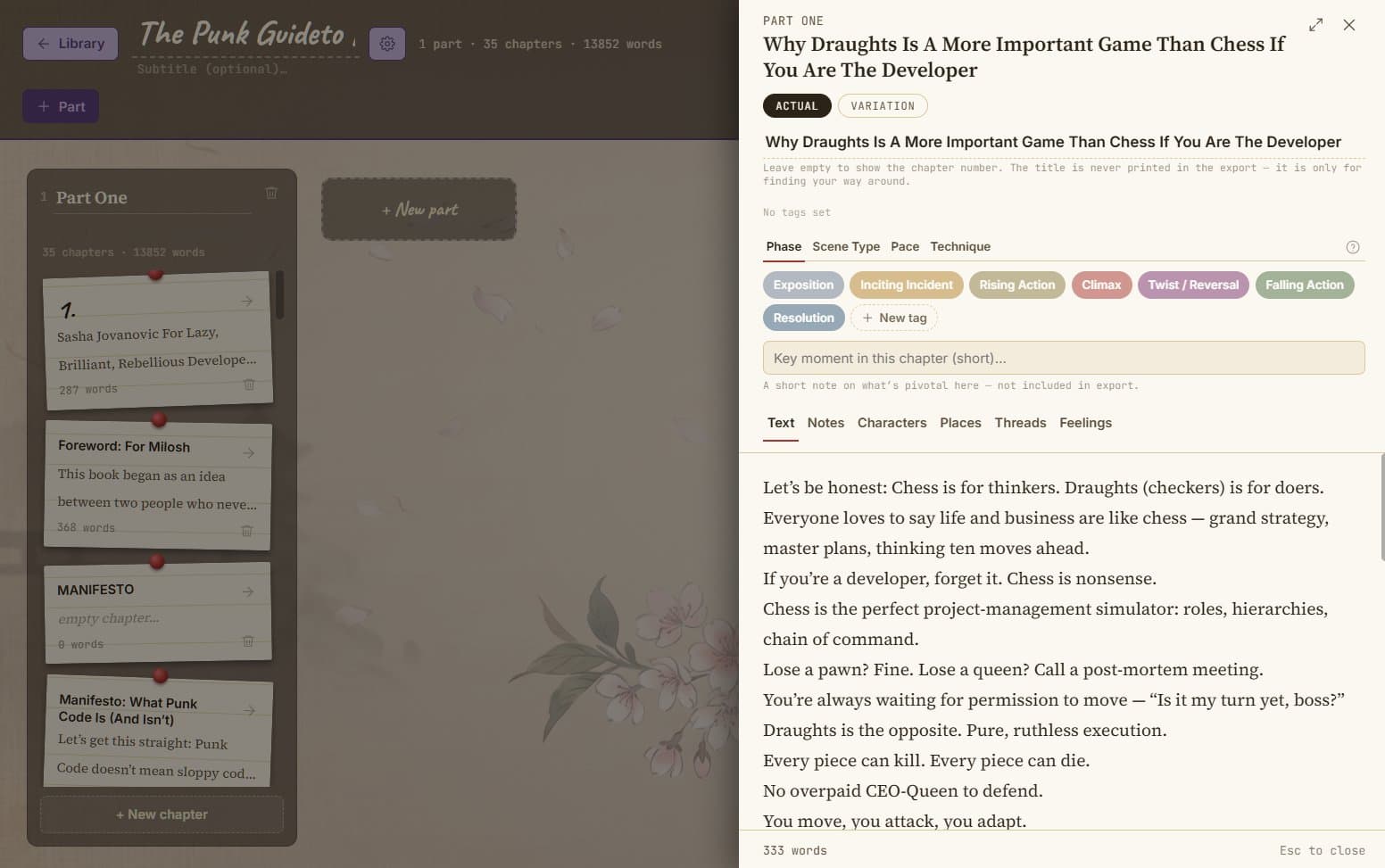
Text, Notes, Characters, Places, Threads, Feelings — six tabs per chapter, with a one-line Key Moment always in view. The expand icon strips it all down to just the heading and the page, centred, nothing else in sight.

Variation, with a live diff

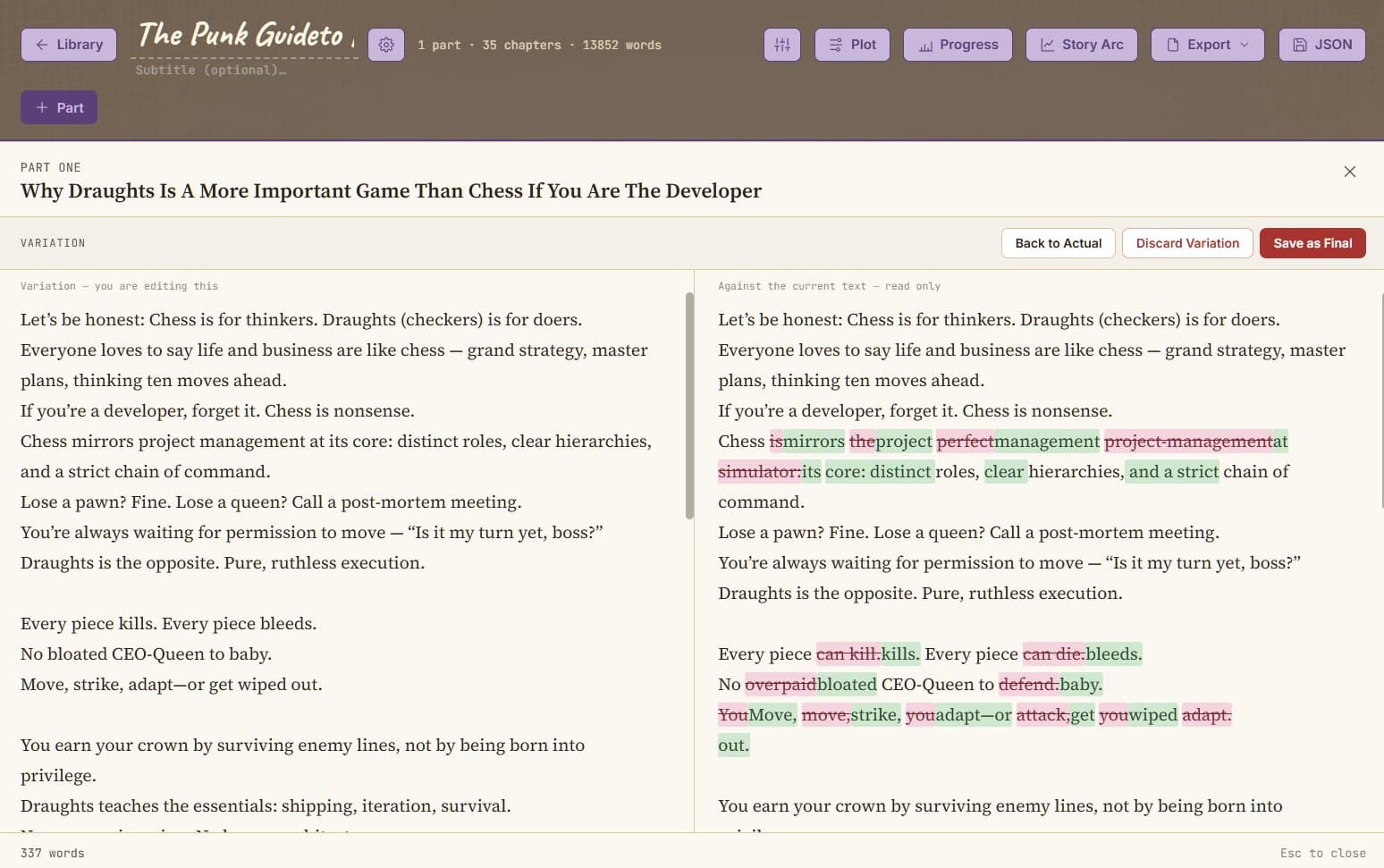
Draft a second version of a chapter beside the first. What you cut shows struck through in pink, what’s new shows in green, recalculated as you type. Keep it as final, or discard it — the old version waits in History either way.

Four tag systems, one glance

Phase, Scene Type, Pace and Technique, each with its own vocabulary and its own colour. A quiet summary shows what’s chosen; an Attributes lane lines the full names up beside the chapters themselves.

Story Arc

Tension and pace plotted across every chapter, continuously, never resetting per part. Lay a reference curve for Thriller, Horror, Drama, Bildungsroman or Psychological Novel over your own, just to read against.

Plot, above the chapters

Synopsis, central conflict, a messy working outline, and named plot threads — each with the chapters that carry it forward, marked with a coloured strip on the card itself.

Progress

Words written and net growth, chapters touched, a day-by-day chart, and your current and longest writing streaks — for one novel or all of them. A writing quote greets every visit.

Manuscript-ready export

Manuscript .docx with a title page and running header, plain Text, plain Docx, or a valid EPUB with your cover and metadata in place. Every format prints the same thing: title, parts, chapters, text — nothing you planned along the way.

Import from Word, backed up whole

Point it at a .docx and it reads Word’s own heading structure to find your parts and chapters — nothing is written until you approve what it found. Back up the whole library to one file, or a single novel with its full planning layer intact.

A look inside

It looks like your desk, not like software

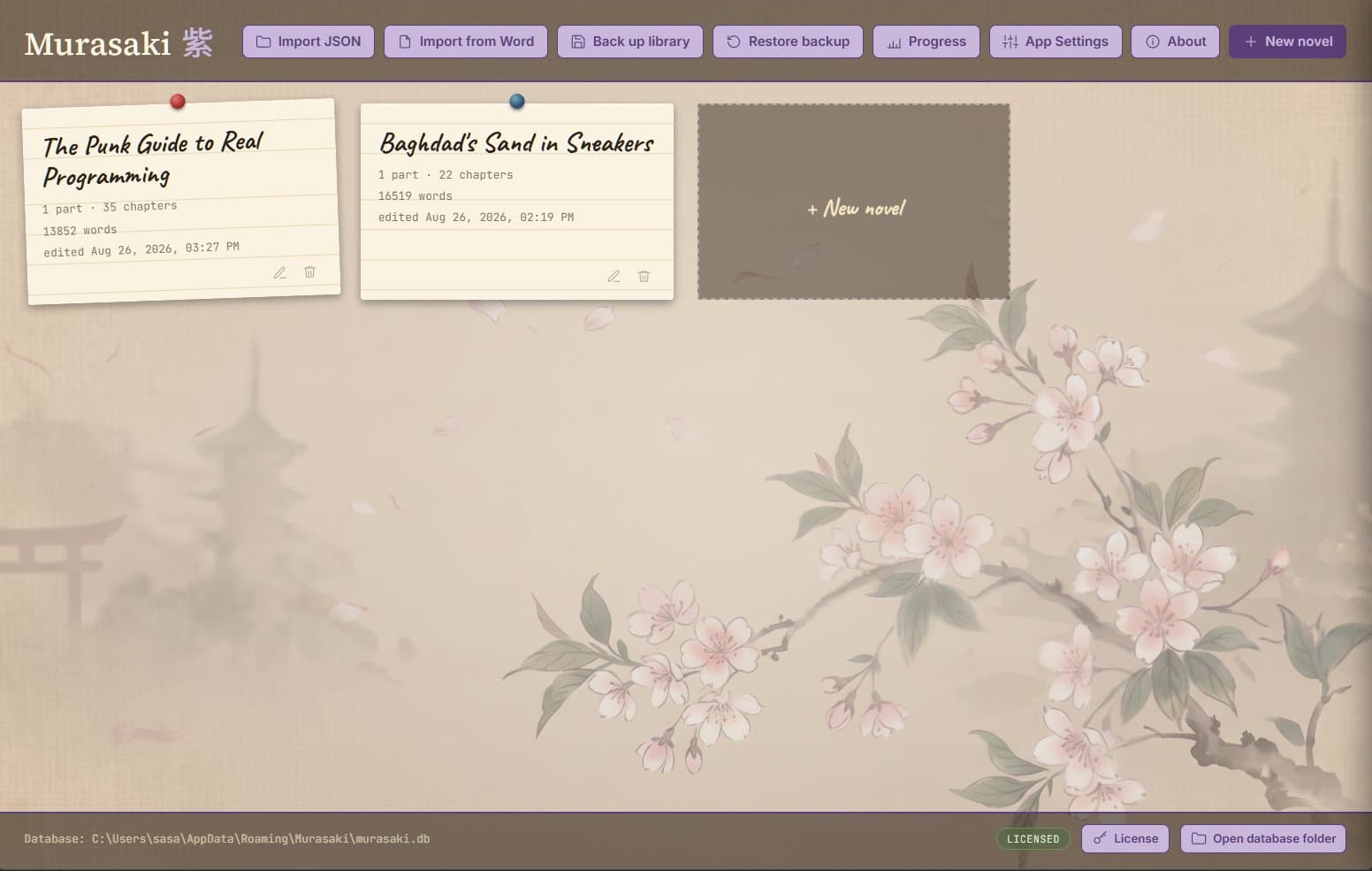
Murasaki's library screen listing novels with a license status badge, set against a cherry blossom backdrop
Murasaki 紫
Murasaki's chapter drawer open beside the corkboard, showing the Actual and Variation tabs, Phase tags, and the chapter text
The editor — plan and write in the same view
The Variation editor, comparing a draft chapter side by side with the current text, with additions in green and cuts in pink
Variation — a draft beside the original, live
The Story Arc chart plotting tension and pace across a novel, compared against a typical Bildungsroman curve
Story Arc, compared to a typical curve
Learn more →
Pricing

Free to start. Yours to keep.

Windows version runs on Windows 10/11.
Linux version runs on Ubuntu 22.04+ (Jammy and newer), Debian 12+ (Bookworm), Fedora 36+, Linux Mint 21+, and LMDE 6+.

Light

Everything you need to start structuring and writing.

Free
 
  • ✓ Corkboard & drag-and-drop chapters
  • ✓ Writing editor with autosave
  • ✓ Chapter titles, Notes & Zen mode
Download Light

Full

One-time payment for Full — no subscription, ever. Your novels live in a database file on your own computer either way.

The complete planning toolkit, unlocked for good.

€15 *€30
Launch price · one-time payment · through 31 Oct 2026
  • ✓ Everything in Light
  • ✓ Phase, Scene Type, Pace & Technique tags
  • ✓ Characters, Places & Plot threads
  • ✓ Story Arc, with genre comparison
  • ✓ Variation editor with live diff & History
  • ✓ Manuscript, Text, Docx & EPUB export
  • ✓ Progress tracking & writing streaks
  • ✓ Import from Word
  • ✓ Export to Word, E-Book (epub)
Download Full — €15

Feature split between Light and Full is still being finalized.
* VAT (DPH) added for buyers in Slovakia.

Early testing

Request a licence key

Murasaki is being tested with a small group first. We invite people in by hand as spots open up, so we can’t promise every request gets approved — but if you’ve got an invite code, add it below with your email and we’ll take a look, usually within a day.

No payment, no account. One key per email address.

Good to know

Frequently asked questions

Does Murasaki send anything over the network?

Your novel text, notes, characters, and everything you write stay entirely on your machine — none of that is ever sent anywhere. There are two narrow exceptions, neither of which touches your writing:

License check. Once at startup, Murasaki sends your license key to our server to confirm it’s valid. Nothing else is included in that request — no novel content, no filenames, no usage data.

Windows SmartScreen. This one is outside Murasaki’s control entirely: Windows itself checks any downloaded executable — from any publisher, not just Murasaki — against Microsoft’s SmartScreen reputation service before first run. It’s a standard OS security feature, not something Murasaki initiates or can opt out of on your behalf.

Why not just use Scrivener?

Looking for a Scrivener alternative? Scrivener is a fine tool — here’s where Murasaki is different, not necessarily better at everything, just different.

ScrivenerMurasaki
Price$59.99 per platform ($97.94 for both Mac and Windows)€30 total, any platform (€15 launch price)
PlatformsWindows, MacWindows, Linux
License modelSeparate license per platform, cross-grade discount to add anotherOne license, works wherever you install it
InterfaceFolders, binders, compiling — a learning curve before you’re productiveThe corkboard IS the interface — open it and you already know how it works
Story structureCorkboard for notes/researchCorkboard for chapters, drag-and-drop reordering, auto-renumbering
Comparing draftsSnapshots — manually saved, compare on demand, word-level diffVariation mode — a live working copy with the diff updating as you type
Style/pace taggingGeneric custom metadata and keywords — you build your own systemBuilt-in Phase, Scene Type, Pace, and Technique tags, ready to use
Story pacingNot built inStory Arc chart — compare your novel’s tension and pace against genre curves or real published books
Your dataLocal filesLocal files, one SQLite database, no account

Scrivener is a product of Literature & Latte. We’re not affiliated with them — just laying out an honest comparison for people deciding between tools. Prices as of August 2026; check literatureandlatte.com for current pricing.

Why not just use Word?

Word is what everyone already has. Here’s the trade-off.

Microsoft WordMurasaki
Price$99.99/year (365 subscription) or $149.99+ one-time (Office 2024, no future updates)€30 one-time, updates included
AICopilot built in and increasingly hard to fully disableNo AI, anywhere, ever
StructureOne long scrolling document, or many separate files you manage yourselfParts and chapters as draggable cards — the structure IS the interface
Reordering chaptersCut, scroll, paste, hope you didn’t break a cross-referenceDrag a card. Numbers update themselves
Comparing draftsTrack Changes — powerful, but built for editing collaboration, not exploring alternate versionsVariation mode — a parallel draft with a live diff, separate from your main text
Story planningNone — Word is a document editor, not a planning toolPlot, Story Arc, Characters, Places, Threads, all built in
Manuscript formattingYou build the title page and running header yourselfOne click — Manuscript export, formatted and ready
CloudIncreasingly pushed toward OneDrive by defaultLocal file, always, no account — write on a desert island, on the road, with zero internet access

Microsoft Word is a product of Microsoft. We’re not affiliated with them — just laying out an honest comparison for people deciding between tools. Prices as of August 2026; check microsoft.com for current pricing.